Config debugging goes wrong when developers treat syntax as the whole problem. A snippet can be perfectly legal JSON, valid YAML, or superficially tidy TOML and still be the wrong shape for the system that needs to read it next. That is why so many debugging sessions drift into trial and error. The text looks fine, so the engineer starts changing keys, indentation, quoting, or list style without first confirming what the structure actually is.
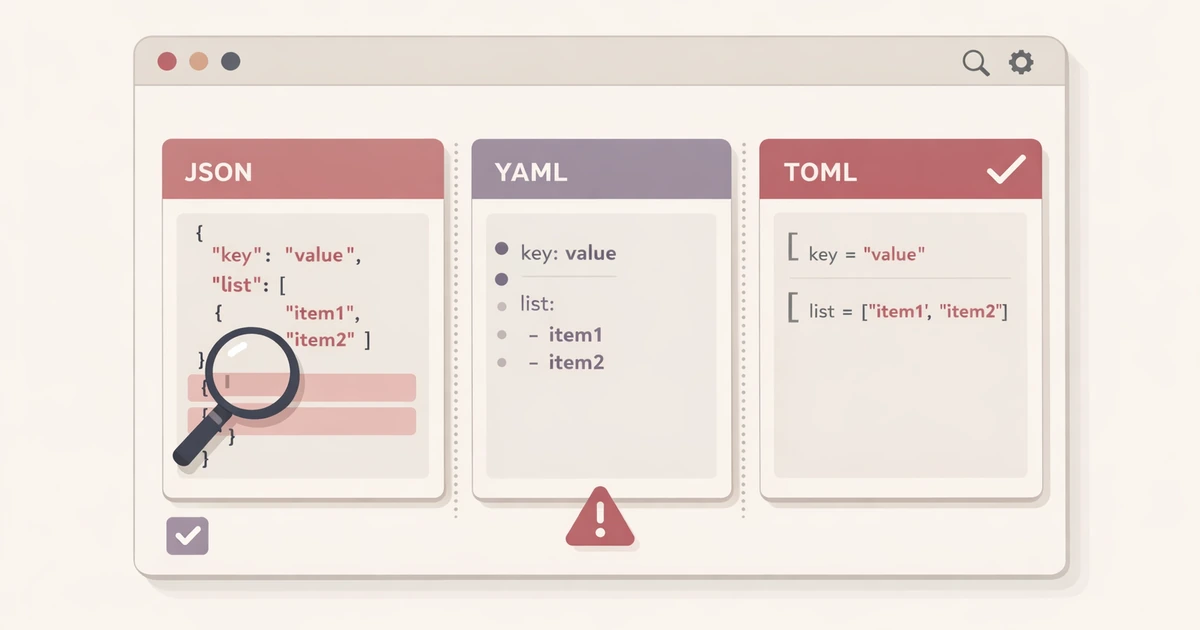
This is where a side-by-side conversion pass is useful. Converty's JSON / YAML / TOML Converter gives you a faster way to ask the structural question before the pipeline question. Paste the snippet once, confirm that it parses, and compare what the same data looks like across JSON, YAML, and TOML. If a format does not render, that failure is often the most informative part of the exercise because it tells you something concrete about the shape, not just the formatting.
That makes the tool complementary to CLI utilities such as yq, not a replacement for them. The browser is useful for inspection. The CLI is useful when the transform becomes part of a repeatable workflow.
The fastest way to debug config is to stop staring at one syntax
Most broken config snippets arrive in one of three situations. A developer copied something from docs. A value came from an API response or a generated file. Or a teammate pasted part of a working configuration from a different system and assumed the structure would map cleanly into the new one. In each case, the temptation is to keep editing the snippet in place until the destination stops complaining.
That usually wastes time because the visible syntax becomes the focus instead of the data model. A list of objects in JSON may look easy to "translate" into YAML until you notice that the target system actually expects a single object map. A YAML block copied from a docs page may seem fine until you convert it and realize one field is nested under the wrong parent. A TOML target may fail not because the keys are misspelled, but because the top-level structure is something TOML does not support well in the form you pasted.
Side-by-side conversion turns the shape into something you can inspect. Instead of asking whether the braces or indentation look plausible, you ask whether the same information survives translation across formats. When it does not, the failure narrows the debugging path.
Structure problems show up faster when each format has to tell the truth
The most helpful part of side-by-side conversion is that each format imposes different pressure on the same data. JSON is explicit. YAML is easier to skim. TOML is stricter about what can be represented cleanly, especially at the top level. When a snippet moves across those representations, hidden assumptions surface.
That is exactly why How to Convert JSON, YAML, and TOML Without Breaking Data is a useful companion to this article. Conversion is not only about generating a different output. It is about discovering whether the underlying structure is portable in the way you assumed. If the snippet changes meaning, fails to render, or becomes awkward in the target format, that is often a sign that the original model needs inspection.
This is also why Why TOML Output Is Unavailable for Some JSON or YAML Inputs matters. A missing TOML output is not a random annoyance. It is usually a structural signal.
A realistic debugging pass is shorter than most terminal experiments
Suppose you are troubleshooting a configuration snippet copied from internal docs. The source is YAML, but the target environment expects JSON in one place and TOML-like semantics in another. A teammate says the structure is equivalent, yet the destination keeps rejecting it. The normal debugging pattern is to keep adjusting the snippet until one version happens to work.
The better approach is to run one short inspection pass first:
- Paste the snippet into JSON / YAML / TOML Converter.
- Confirm that the source parses at all.
- Compare the pretty JSON and YAML outputs to see whether the nesting is what you thought it was.
- Check whether TOML renders, and if it does not, treat that as a clue rather than a nuisance.
- Copy the format that best exposes the structure and continue debugging from there.
That sequence does not replace the final implementation environment. It reduces the number of blind edits you make before you reach it.
TOML is especially useful as a pressure test
TOML is often where structural assumptions break because it is less forgiving about how data is represented at the top level. Developers sometimes read that as a limitation of the tool rather than as a reminder that their snippet may not actually fit the target model they had in mind.
In practical debugging, that is valuable. If JSON and YAML render cleanly but TOML does not, you have learned something about the shape immediately. The issue may be a top-level array, a scalar where an object was expected, or a structure that is technically valid in one format but operationally awkward in another. That is better information than another round of speculative indentation edits.
This is one reason a side-by-side browser view works so well as a first pass. It gives you a visual answer to the question "what is this data really shaped like?" before you start thinking about automation.
Switch to the CLI only after the transform deserves a future
The browser is strongest at inspection and one-off debugging. Once the transform is stable and the team knows the exact shape it wants, the center of gravity should move to the CLI. That is where a tool such as yq makes more sense. The command line is where the transform gains a future: scripts, CI, linting, repeatable edits, and repository-wide cleanup.
The mistake is trying to force that future too early. If the current job is still "what is wrong with this snippet?" rather than "how do we apply this fix every time?", the CLI may add more framing overhead than the debugging session deserves. Browser inspection shortens the path to understanding. The CLI shortens the path to repeatability. Use them in that order.
If your token or config work also crosses design-system data, this article pairs well with How Design and Frontend Teams Can Move a Color Token From Handoff to Production Faster, where the same structure-first logic applies to theme and color values moving between tools.
The debugging win is clarity, not format purity
Developers often think conversion tools are only useful when they need a final output in a different syntax. In practice, the bigger win is often diagnostic. Seeing the same snippet expressed differently can make a broken assumption obvious enough to fix in minutes instead of hours. The point is not to admire the converted output. The point is to stop reasoning about ambiguous text and start reasoning about explicit structure.
That makes side-by-side conversion a good first move whenever a config problem still feels vague. If the snippet is still in the stage where you are trying to understand what it is, the browser is usually faster than improvising commands in the dark.
Debug the shape first, operationalize the fix second
The most productive config debugging sessions separate inspection from automation. First you prove what the data is. Then you decide how the data should be transformed every time after that.
Open the JSON / YAML / TOML Converter when you need the direct side-by-side inspection layer, use the FAQs for the broader handling model, revisit How to Convert JSON, YAML, and TOML Without Breaking Data for the wider conversion guide, and keep Why TOML Output Is Unavailable for Some JSON or YAML Inputs close when the failure itself is the clue you need.